
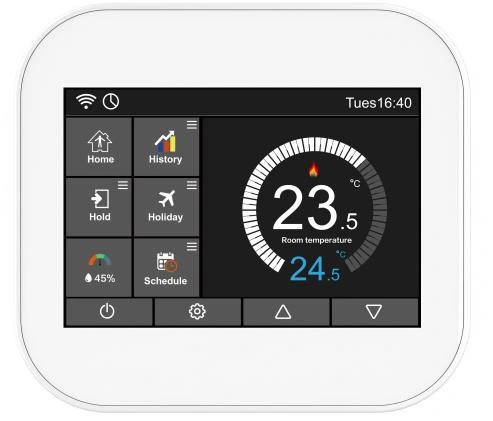
Electric heating / FM20-E
3.5inch TFT 16A WiFi Programmable Smart Thermostat for Water Heating
A room interface for hydronic or electric heating, with scheduling and configuration-specific connectivity.
Wi-Fi optionModbus RTU optionModbus TCP optionBACnet MS/TP optionBACnet IP optionLoRaWAN optionMQTT optionZigbee option
AT A GLANCE
Control essentials
- 3.5” TFT real color touchscreen
- Humidity sensor, Ambient light sensor
- Wi-Fi connectivity (Option)
- SmartLife App (Option)
- SmartLife Zigbee (Option)
- LoRaWAN 868MHz/915MHz (Option)
- BACnet MS/TP / IP (Option)
- Modbus RS485 RTU / TCP (Option)
- BLE 5.0 (Option)
- Customized MQTT (Option)
- 16 amp max for electric heating
- 7-day, weekday/weekend, 24-hour schedule
- History data tracking diagram (up to 4 weeks)
- External probe and remote air sensor
- Energy consumption statistics
- Defrost protection
- Adaptive Heating
- Open Window function
- RF wireless (work with RF receiver or wiring centre)
- C/F temperature display
- 12/24-hour time format
- Touch screen lockout
| Power Supply | 24V or 230V |
|---|---|
| Application | Hydronic heating / Electric heating / Hot water |
| Interface | 3.5″ capacitive touchscreen |
| Heating output | 3 A hydronic / up to 16 A electric, by variant |
| Communication | Optional RS-485: Modbus RTU / BACnet MS/TP. Selected Wi-Fi network configurations: Modbus TCP / BACnet IP / customized MQTT. Tuya Wi-Fi, LoRaWAN, Tuya Zigbee. |
Dimensions & Installation
Click a drawing to enlarge.
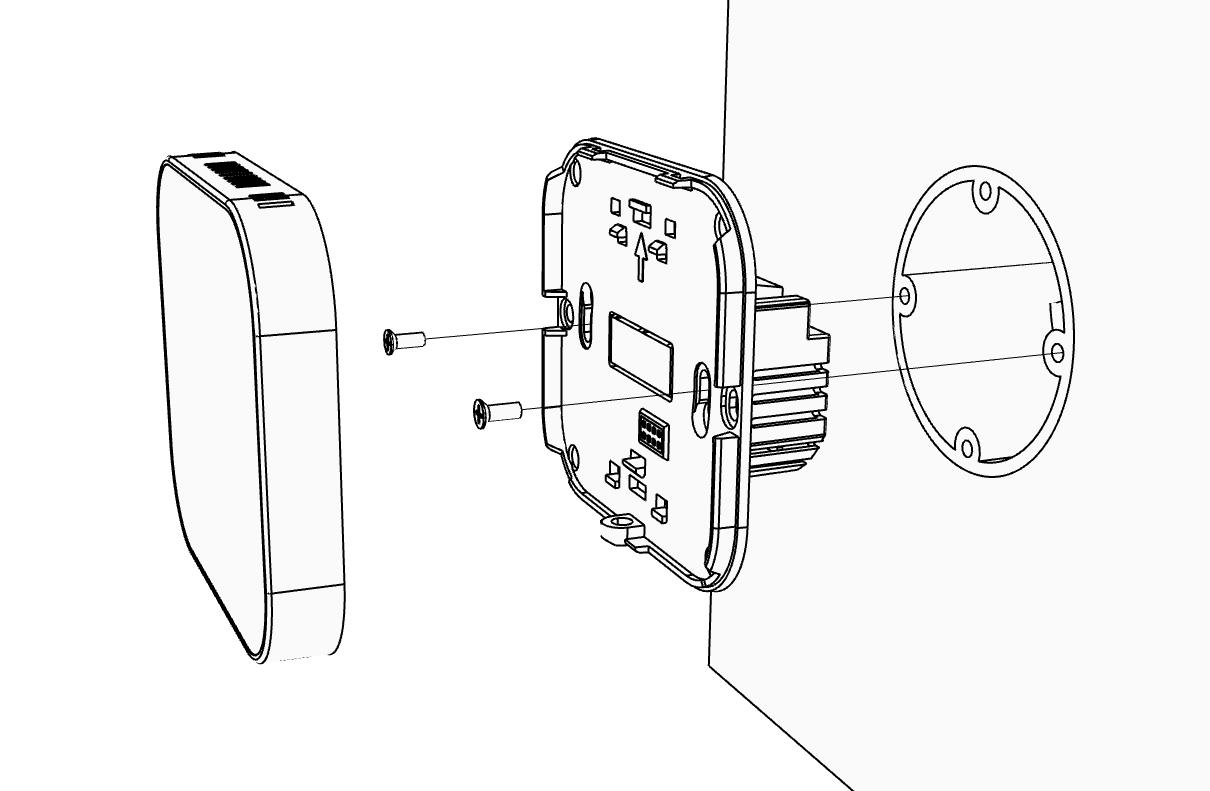
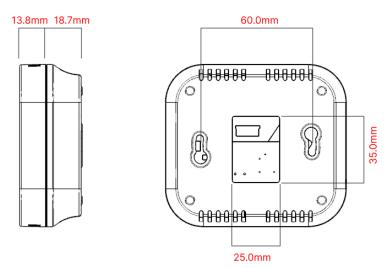
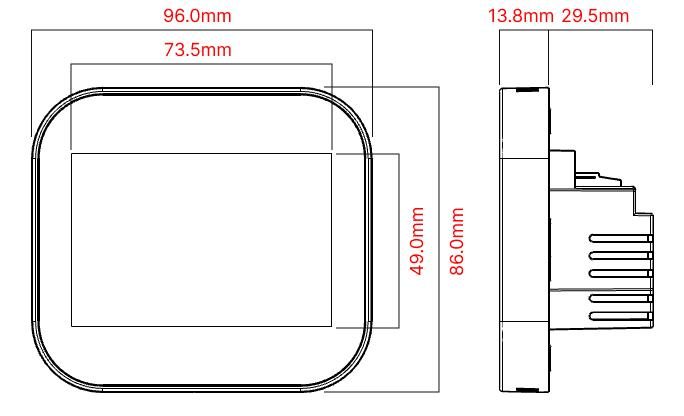
Features and communication options vary by configuration. Confirm the supply voltage, outputs and protocol before ordering.
PUT IT TO WORK
Solutions using this product family
03Electric floor heating
Pair a dedicated electric-heating thermostat with a floor probe and a correctly sized heating circuit.
YOUR PROJECT, DEFINED
Start with your system.
Outline the equipment, rooms and control requirements for your project.